Desktop App
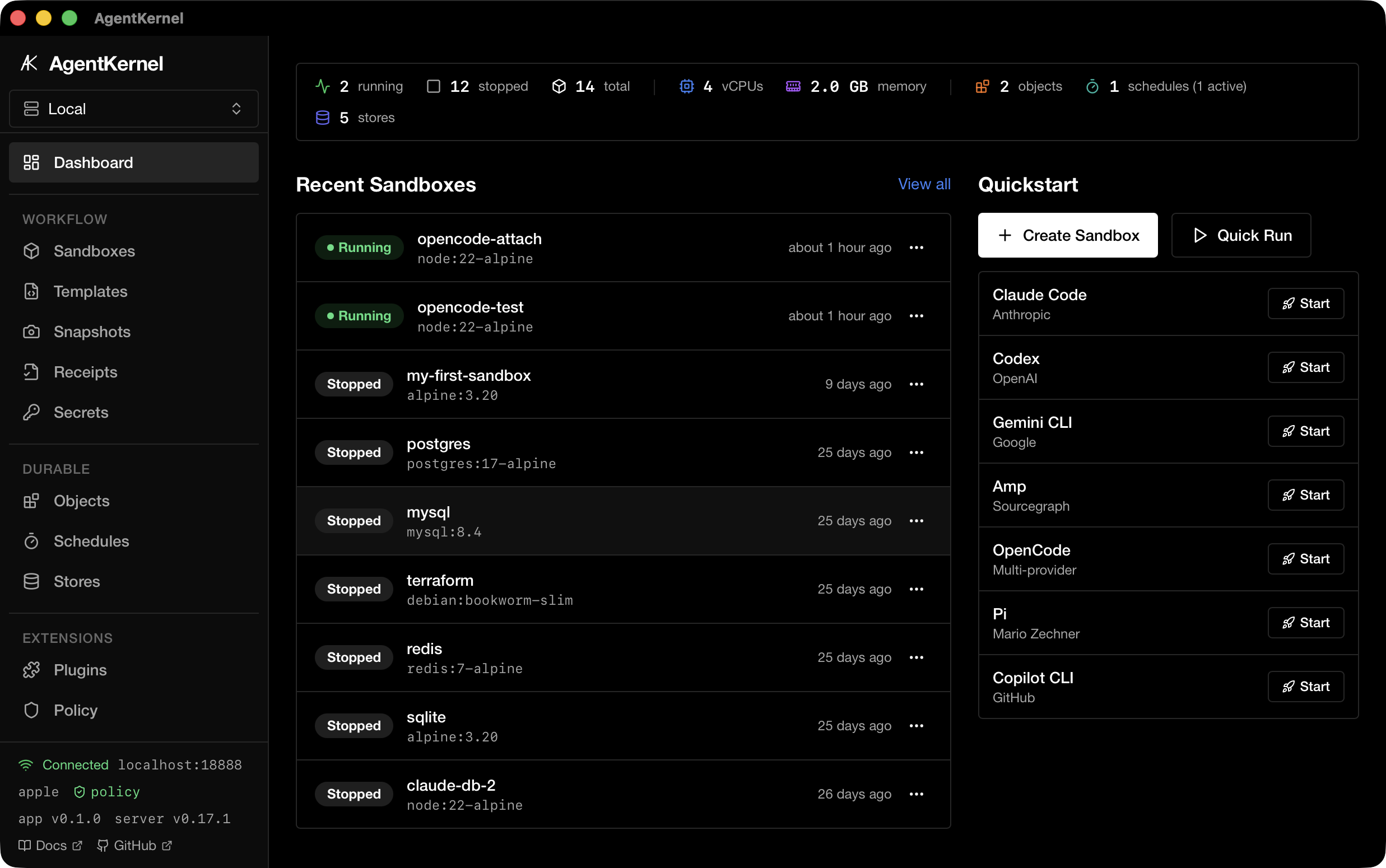
AgentKernel includes a native macOS desktop app built with Tauri 2. It provides a GUI for managing sandboxes, snapshots, templates, and agents — all backed by the same HTTP API as the CLI.
Requirements
- macOS 26+ (Apple Containers) or macOS with Docker Desktop
- The
agentkernelserver running (agentkernel serveormake serve)
Install
Download the latest .dmg installer from GitHub Releases:
- Apple Silicon (M1+):
AgentKernel_<version>_aarch64.dmg - Intel:
AgentKernel_<version>_x64.dmg
Open the DMG and drag AgentKernel to your Applications folder. Alternatively, build from source.
Build from Source
# Install dependencies
cd app && npm ci

# Run in development mode (hot-reload)
make app

# Build release .app bundle
cd app && npx tauri build
The built .app bundle is output to app/src-tauri/target/release/bundle/macos/.
Features
| Page | Description |
|---|---|
| Dashboard | Server health, sandbox count, quick actions |
| Sandboxes | Create, start, stop, delete sandboxes with terminal access |
| Sandbox Detail | Exec commands, file browser, live logs |
| Snapshots | Save and restore sandbox state |
| Templates | Quick-launch from predefined configurations |
| Agents | View and install supported AI agent CLIs |
| Policy | View and manage sandbox security policies |
| Secrets | Manage environment secrets passed to sandboxes |
| Audit Log | View sandbox lifecycle events |
| Diagnostics | System health checks and backend status |
| Settings | Configure server URL and preferences |
Architecture
app/
├── src/                 # React 19 + TypeScript frontend
│   ├── pages/           # Route pages (Dashboard, Sandboxes, etc.)
│   ├── components/      # Shared UI components (shadcn/ui)
│   └── lib/             # API client, hooks, types
└── src-tauri/           # Rust backend (Tauri 2)
    ├── src/commands/    # Tauri IPC commands
    ├── src/api_client.rs # HTTP client to agentkernel server
    └── src/types.rs     # Shared type definitions
The desktop app communicates with the agentkernel serve HTTP API. The Tauri backend acts as a bridge, forwarding IPC calls from the frontend to the server.