Docs > Use
Subagents
This page describes how Shift runs a subagent: a child session that the model starts with the spawn tool, runs as a background job, and joins with the job tool. It covers where a child lives, what it inherits, how its traces reach the parent, and what the design leaves to you.
A child is a session
A child is a complete session in a folder under its parent. Grandchildren use the same shape, with no special casing:
.shift/sessions/default/
        session.json             the parent
        traces.jsonl
        agents/
          tests/                 a child: a complete session directory
            session.json
            traces.jsonl
            receipt.json         written when the child finishes
            progress.log         the child's tool narration (its stderr)
            agents/
              flaky-retry/       a grandchild, same shape, no special casing
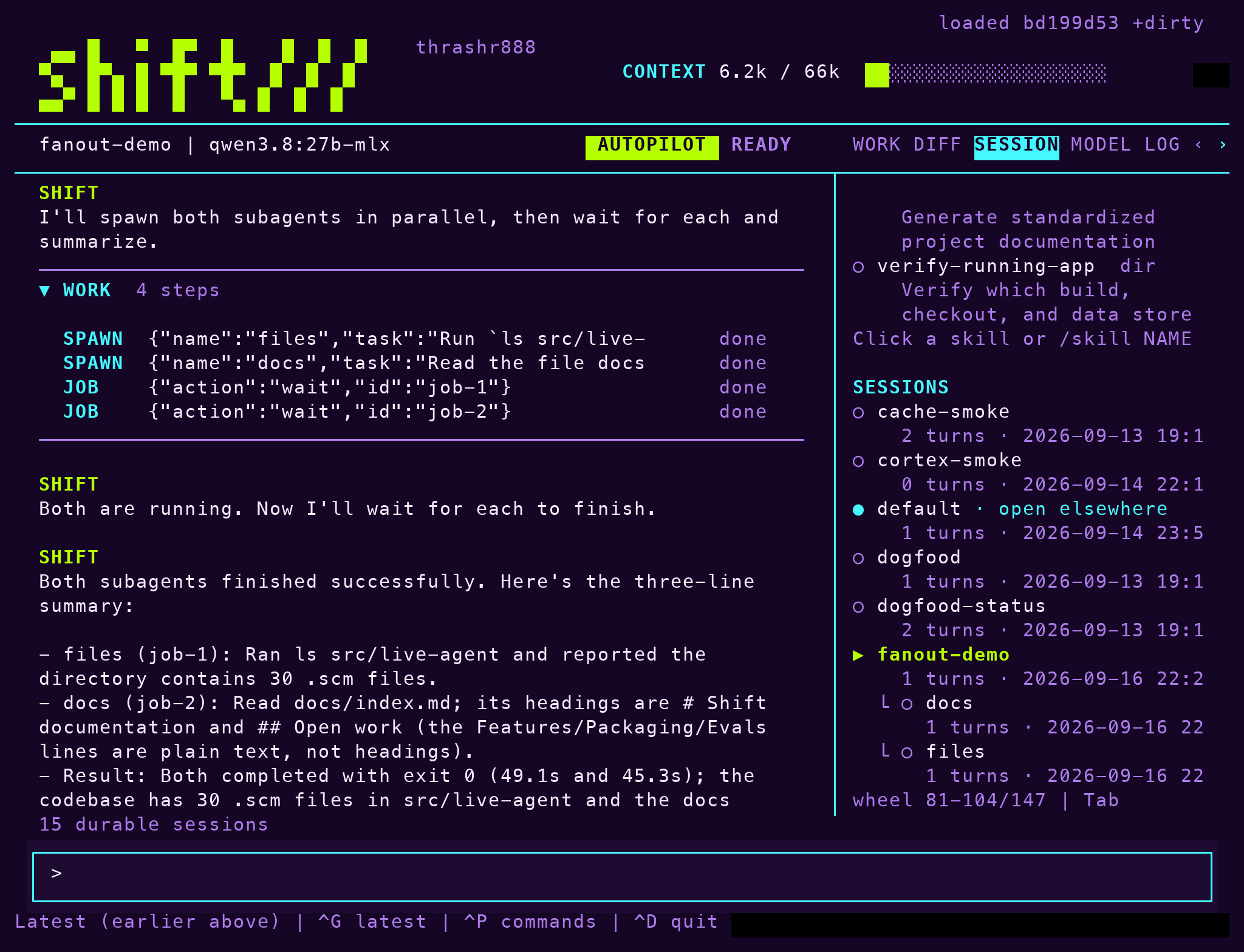
A child's session name is its path from the sessions root: default/agents/tests, or default/agents/tests/agents/flaky-retry for the grandchild. Every session command accepts these names, so --resume default/agents/tests reopens a finished child to ask follow-up questions. The session list and the Session tab show children nested under their parent, and deleting a parent folder removes its whole tree.
The child inherits the parent's generation, live patches, mode, model, settings, project, skills, plugins and MCP servers. It runs with the parent's project as its working directory, so it sees the same files and allowlists.
Start a child
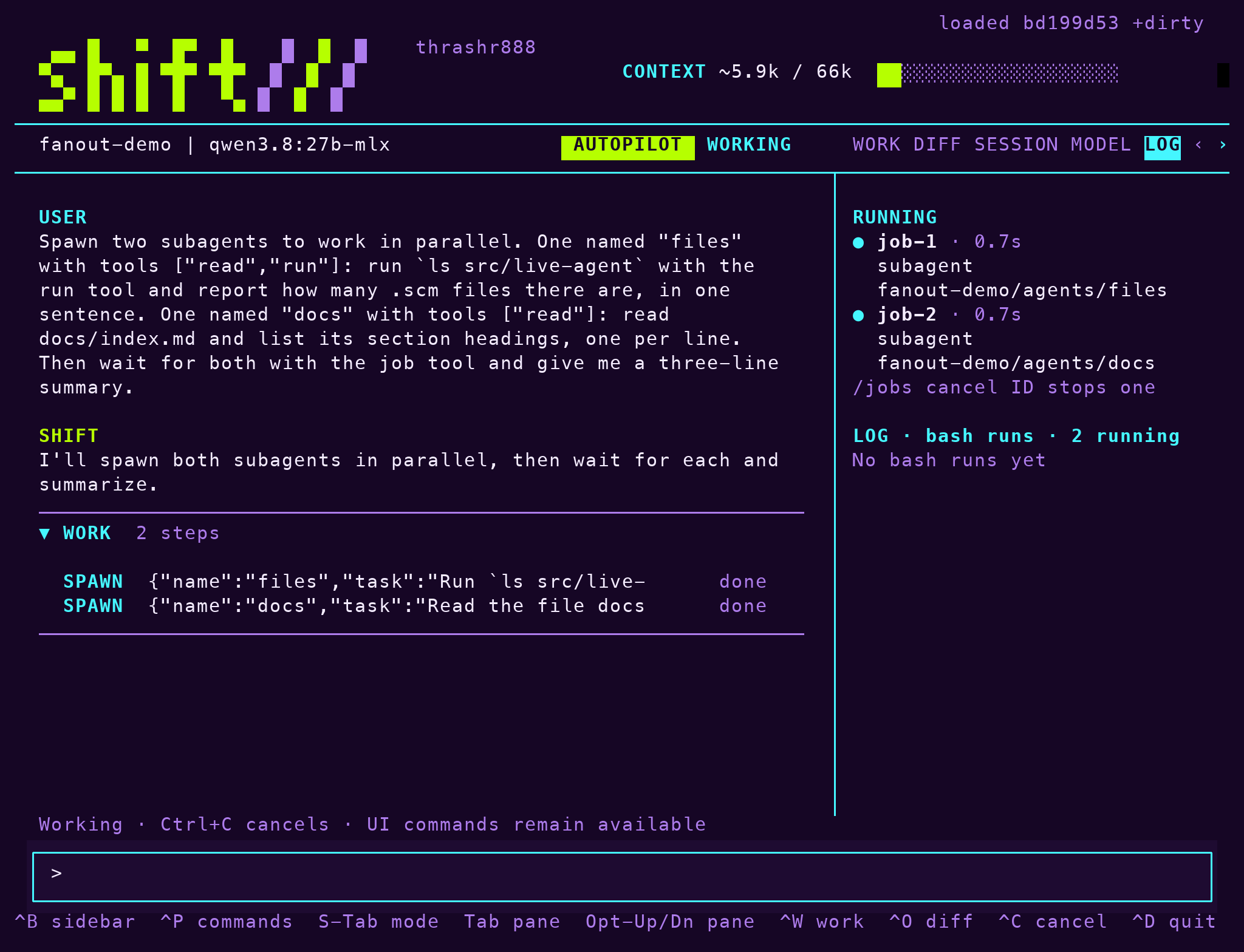
spawn is a model tool. It forks the live image into a new child folder, starts the child as a background job and returns at once. A call looks like this:
{"task": "Run make test and report failures with file:line",
       "name": "tests", "tools": ["read", "rg", "run", "job"],
"history": false, "timeout_seconds": 600}| Field | Meaning |
|---|---|
task | The child's first prompt. |
name | A plain session name. Defaults to agent-N. |
tools | Narrows the child's tool ceiling. It defaults to the parent's own ceiling and can never widen it. The ceiling is stored in the child's authority.json, so it holds when you resume the child by hand. |
history | false by default: the child starts with an empty conversation. true copies the parent's checkpoint so the child sees everything the parent saw. |
model | Overrides the inherited model. |
timeout_seconds (30 through 3600 seconds; 600 when omitted) | How long the job may run. |
The child runs shift-agent --resume PATH --print TASK. Its stdout is its answer and is captured as the job log; its narration goes to progress.log in its folder. Because print mode has nobody to ask, a child in manual mode can only read, search and run allowlisted commands. A child in autopilot uses the judge model as its parent would. See Modes and policy.
Two ceilings apply. Nesting stops at depth three; a fourth spawn is refused. Children count against the job ceiling, so at most four jobs run at once, children included.
Wait for a child
Joining a child uses the existing job tool; there is no separate join tool. Its action is one of:
waitblocks until the child finishes and returns its complete answer plus the path of its receipt.outputpeeks at the bounded tail so far.cancelstops the child.listshows running jobs.
Several spawn calls in one turn run in parallel, and the parent joins them in any order. A finished child also raises the usual job notice, so the parent hears about it at its next request without polling. From the terminal, /jobs lists jobs and /jobs cancel ID stops one; the Log tab shows a RUNNING block while children run and adds each finished one to the history.
Note: Jobs die with the process. Quitting Shift kills running children, and nothing is daemonized.
Follow a child in the traces
The parent records one subagent.run span per child, opened at spawn and closed when the child exits, carrying the child's session name, job id, ceiling and exit status. A job wait on a child records a subagent.join span linked to the run span. The child process receives TRACEPARENT, so its own turn and tool spans nest under the parent's tool span in an OTLP viewer, while its local traces.jsonl stays inside its folder.
recall and /recall QUERY search every session's traces in the project, subagent folders included, and name the session behind each hit. The session filter restricts a search to one session or its subtree. A parent can therefore inspect a child's tool outcomes without reading its transcript. See Receipts and sessions.
Limits
- Children share the working tree. There is no workspace fork, so running several children that change files at once is your call. A sandboxed session (
/sandbox) gives each run an isolated container when that matters. - The child's answer is its whole stdout, bounded by the tool output limit.
- The tool ceiling only narrows. A child cannot do anything its parent could not.
The design and its decisions are in docs/subagents.md.
What's next
- Receipts and sessions
- Workflows, whose runs from the
workflowtool happen in a subagent - Modes and policy