Docs > Use
Workflows
This page describes what a workflow is, how to define and run one, and how Shift improves one. A workflow is a list of steps that Shift runs in order as turns of the session, each followed by checks that decide whether the run continues.
Define a workflow
Create .shift/workflows/NAME/workflow.scm in the project. The file is data: Shift reads it and never evaluates it, so it is safe to commit and to share. The following workflow checks a checkout before a release:
((workflow "release-check" 1)
 (description "Verify a checkout before tagging a release")
 (budget (rounds 20))
 (step "status" "Run git status --short and report whether the tree is clean."
       (check (contains "clean")))
 (step "tests" "Run make test and report the outcome."
       (check (run "make" "test")))
 (step "notes" "Write release notes for the last five commits to the note release.md."
       (check (notes "release.md"))
       (check (judge "the notes name the last five commits"))))
Each step has a name, the prompt Shift runs as a turn, and zero or more checks. budget caps the tool rounds the whole run can use. The checks are:
| Check | Passes when |
|---|---|
(run "make" "test") | The command exits 0. |
(contains "clean") | The step's answer contains the text. |
(file "PATH") | The file exists in the project. |
(notes "NAME") | The session has a note with that name. |
(judge "CLAIM") | The judge model decides the answer establishes the claim. The run record keeps its confidence. |
A judge check needs a judge model. Without one the check fails rather than passes.
Run a workflow
To run a workflow, enter:
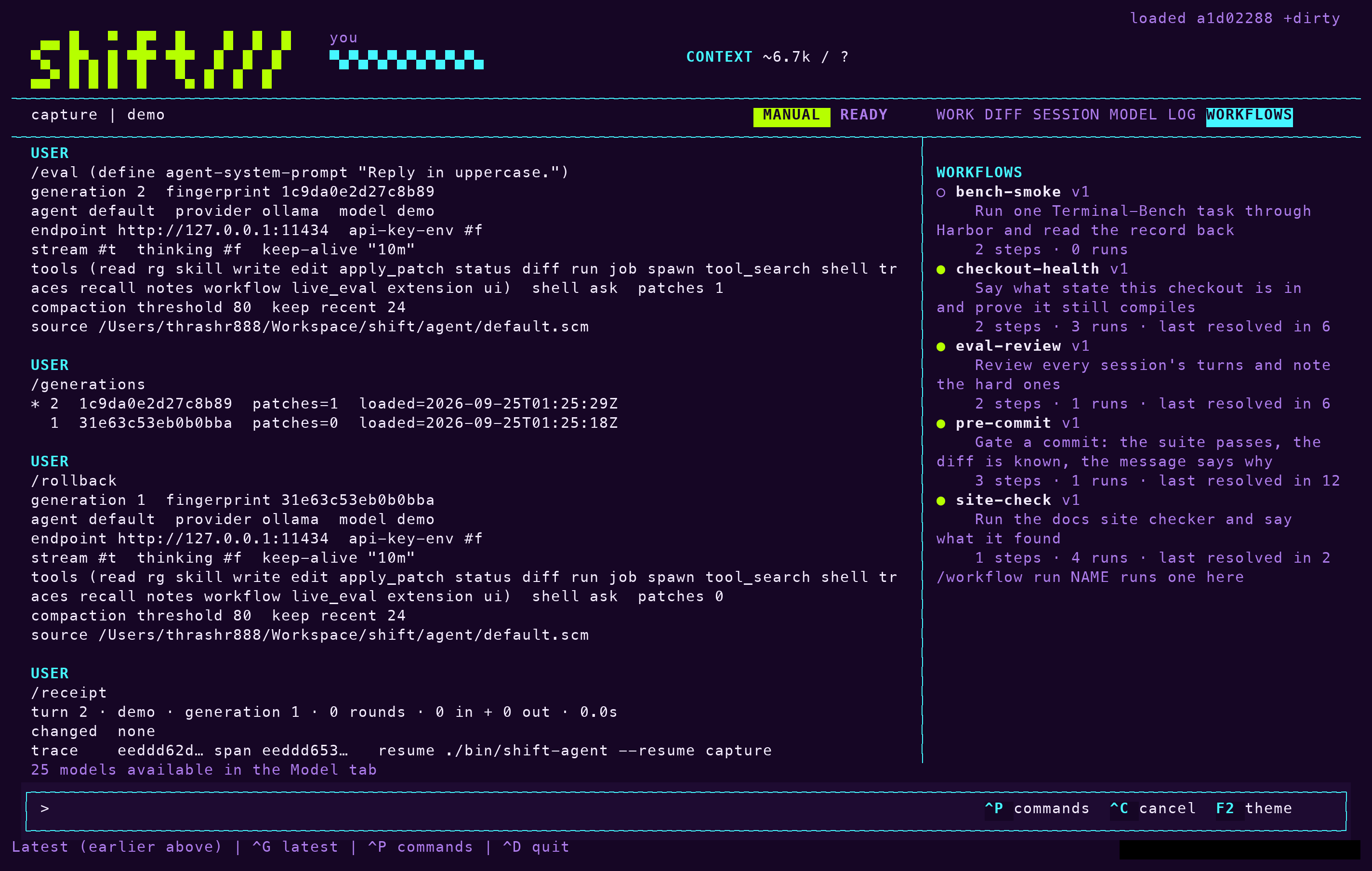
/workflow run NAMEShift runs the steps as ordinary turns, so the mode, the allowlist, the judge, receipts and traces all apply. The run stops at the first failed check, at a failed or limited turn, or when the budget is spent; later steps are skipped. Each run writes one record to .shift/workflows/NAME/runs/.
To list workflows, enter /workflow. To see a workflow's steps, checks and recent runs, enter /workflow NAME. The sidebar's Workflows tab shows the same list and follows a run step by step.
To run a workflow unattended, for example in CI, use print mode. The exit status is the run's outcome:
shift-agent --print "/workflow run NAME" --mode autopilotThe model can also list, show and run workflows with its workflow tool. A run it starts happens in a subagent, so a long procedure does not fill the parent session's context.
Where workflows come from
Shift reads workflows from three places. The first that defines a name wins:
- The project's
.shift/workflows/. - Your
~/.config/shift/workflows/. - Any enabled plugin whose manifest declares
(workflows "workflows").
Add or edit a workflow.scm in any of them and the Workflows tab shows the change within half a second. Runs and versions always land in the project, so improving a plugin's workflow leaves a project copy and never edits the plugin.
Improve a workflow
To ask Shift for a better version of a workflow that has run before, enter:
/workflow improve NAMEShift reads the last runs, proposes one change to the file, and runs the current version and the candidate in two subagents. It keeps the candidate only when it resolves in no more rounds than the current version. Every attempt, kept or not, is recorded under .shift/workflows/NAME/versions/, and nothing is deleted: to go back, copy an earlier version over workflow.scm.
Notes and skills that follow
Three things run beside workflows and make later sessions better without your asking:
- After every turn, each refused tool call becomes one line in
.shift/skills/field-notes/SKILL.md, which every later turn reads. Edit or delete lines as you like. Setfield-notes falseto turn this off. - After a hard turn, one that hit a limit, repeated a call, or took three refusals, Shift may propose a note or a skill. A proposed skill is written disabled and never overwrites an existing one. Set
reflection falseto turn this off. - After a good turn, one that ended clean with eight or more tool calls, or a workflow run that resolved, Shift may write the procedure as a disabled skill. Set
distillation falseto turn this off.
Enter /skills to see proposed skills and enable the ones you want.